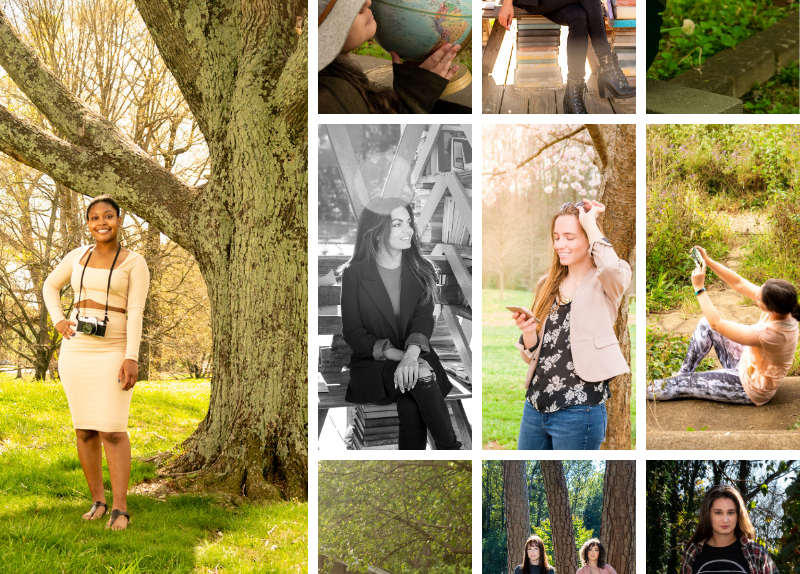
Go Green Preset Pack – Lightroom Mobile – 10 Presets
Jillian’s Go Green Preset Pack for Lightroom (LR) Mobile includes 10 presets designed to speed up your photo editing process for some of the most requested types of photo editing adjustments! The titles of the presets are related to either connecting with nature or named for eco friendly activities!
Earthy
Image 3 of 10
Brighten & Green
to brighten the photo & enhance the color green by increasing its vibrance & saturation
Save the Earth
to brighten and warm up the photo with more subtle adjustments than the “Brighten & Green” preset
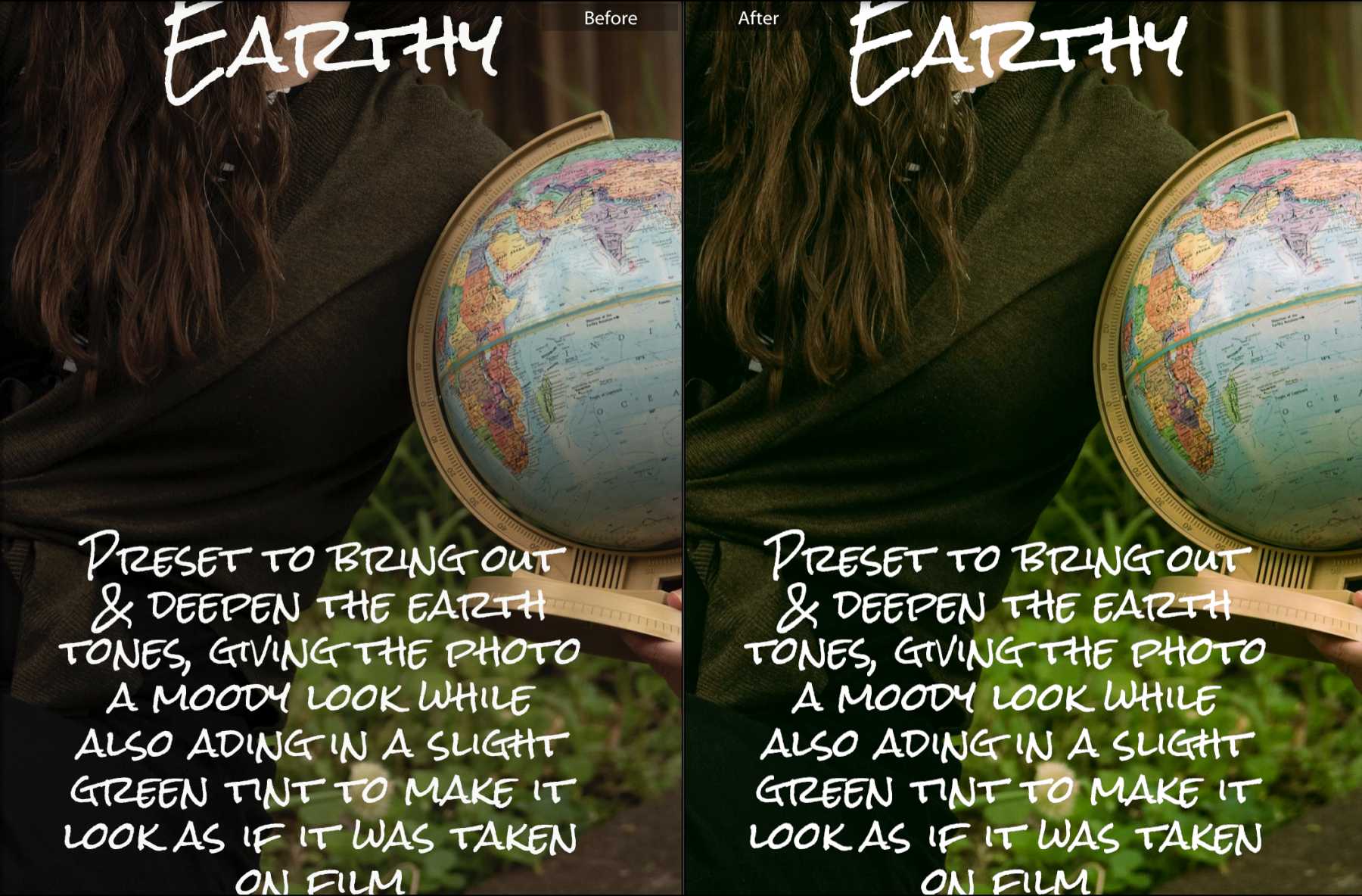
Earthy
to bring out & deepen the earth tones in an image, giving it a moody look while also adding in a slight green tint to make it look as if it was taken on film
Plant a Tree
to make cloudy day photos look like they were taken on a sunny day
Save the Bees
to make cloudy day photos look like they were taken on a sunny day with slighter adjustments than the “Plant a Tree” preset
Recycle
to convert a color photo to black & white
Reuse & Repurpose
to make little adjustments to brighten photos & make them more vibrant
Solar Power
to enhance sunny day photos by adding more vibrance, saturation, & contrast
Ride a Bike
to fix photos with underexposed areas (too dark) in the shadows & overexposed (too bright) in the highlights
Take a Hike
to fix photos with too dark (underexposed) & too bright (overexposed) areas but with less extreme adjustments than the “Ride a Bike” preset
☆ Compatibility ☆
This pack contains the LR MOBILE version of the presets which are compatible with free & paid versions of the Adobe Lightroom App that can be downloaded on either iPhone or Android phones.
The presets can be used on either JPEG and RAW images
These presets have been tested out on a range of different photos taken with different types of cameras in different lighting scenarios, and with people with different skin tones.
Note that your photos taken under different lighting conditions (such as indoors, at night, on sunny days, on cloudy days, etc.) than the lighting conditions in these example images may look different when edited with these presets than the example images do. You will need to make further adjustments to the settings when editing your photo, such adjusting the exposure, to achieve the look you would like for your photo.
☆ Included in this pack: ☆
10 Presets in DNG format (LR Mobile)
PDF instruction guide on how to download, install, & use them
☆ Read the PDF file included with these downloads FIRST for instructions on how to install and use these Lightroom Mobile presets.☆
☆ Share how these presets worked for you! ☆
I love seeing how customers’ photos turn out after being edited using these presets! Tag me on instagram @jillian_regan_photography & I may feature you in a customer shoutout post on Instagram/Facebook!